



Go to Mac platform Display platforms icon
Go to Mac platform Go to Windows platform Go to Android platform Go to iOS platform
DOSBox Staging icon

DOSBox Staging

0.82.2
0 0 reviews
342 downloads
security security

A modernized version of the legendary DOS emulator

Advertisement
Remove ads and more with Turbo
Advertisement
Remove ads and more with Turbo
Andrés López icon
Reviewed by
Andrés López
Content Editor
Andrés López is part of Uptodown's in-house Editorial Team. Translated by Uptodown Localization Team

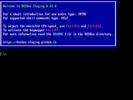
DOSBox Staging is a free and open-source emulator which, in the words of its own developers, offers a modern continuation of DOSBox, the most prestigious MSDos emulator for Mac. This modern version has advanced features and more up-to-date development practices. The software allows you to emulate virtually any DOS video game, without any complex configurations, and automatically adjusts the game resolution between 720p and 4K.

Running any video game is very easy

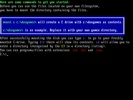
Although DOSBox Staging is very simple to use, some users may likely experience problems during the first and most complex phase of the setup process. For this reason, the emulator's official website offers a series of step-by-step tutorials, explaining how to install and run several different video games, with many images and examples. The most important step is to mount the disk drive, which actually consists of simply creating several folders within the emulator installation directory itself. It is very important to understand that the drive you mount to run your DOS video games has nothing to do with the actual drive on your Mac.

Advertisement
Remove ads and more with Turbo

Tons of graphics enhancements for all your video games

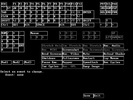
In addition to its simplicity, DOSBox Staging stands out for the many additional features it offers at every level. On the visual side of things, the emulator correctly preserves the aspect ratio of all video games, regardless of your screen resolution; it also includes support for 3dfx Voodoo 1 cards and for titles using ReelMagic. It even has what its creators call Adaptive CRT Emulation, a feature that automatically chooses the best shader for each video game based on your own configuration. If you aren't satisfied with the chosen shader, you can change or modify it as you wish without issue.

Loads of additional audio-related features

One of the most characteristic aspects of many DOS video games is their sound. In this regard, DOSBox Staging also offers an excellent range of services. The program comes with MIDI support as standard and has built-in Roland MT-32 emulation. It also features advanced on-board speaker emulation and support for Innovation SSI-2001 and the IBM Music Feature Card (a little-used but high-quality sound card used in some early Sierra games). In short: your games will sound just as you remember them.

The best way to emulate DOS on Mac

Download DOSBox Staging if you want to enjoy some of the best video games ever, in the best possible way. Thanks to this powerful emulator, you can feel once more what you felt the first time playing Indiana Jones and the Fate of Atlantis, Prince of Persia, Wolfenstein or Sim City 2000, among many others.

DOSBox Staging is for you if

✓ You are looking for a simple way to run classic DOS games flawlessly on Mac
✓ You value enhanced retro visuals with correct aspect ratios, adaptive CRT shaders, and 3Dfx support
✓ You crave authentic sound through MIDI, MT-32, and advanced emulation of classic PC sound cards

Information about DOSBox Staging 0.82.2

Basic information

Developer DOSBox Staging team
Category Emulators
Rating Not specified
Languages English
47 more

Distribution model

Pricing Free
License GPL 2.0
Source code
Copyright © 2026 DOSBox Staging team
Why is this app published on Uptodown? (More information)

Security and privacy

Required permissions Not applicable
See security and antivirus report

Download info

Downloads 342
Date Jun 20, 2025
File type DMG
Size 9.47 MB
SHA256 3b83bb63a7314212b207ae19b82ffd15bac6ddc3a2e96d65a425343b4e9bd4a2
Advertisement
Remove ads and more with Turbo

Older versions

dmg 0.82.1 Apr 4, 2025
dmg 0.82.0 Nov 6, 2024
dmg 0.81.2 Jul 23, 2024
dmg 0.81.1 May 24, 2024
dmg 0.81.0 Apr 30, 2024
Available for other platforms

Rate this App

Review the app
DOSBox Staging icon

Comments

There are no opinions about DOSBox Staging yet. Be the first! Comment

Advertisement
Remove ads and more with Turbo
BlueStacks Air icon
Emulate any Android app on your Mac
Ryujinx icon
A powerful Nintendo Switch emulator for Mac
Citra icon
The best Nintendo 3DS emulator for Mac
Dolphin Emulator icon
Play Wii games on your Mac
Eden icon
Nintendo Switch emulator for Mac
RPCS3 icon
A powerful Playstation 3 emulator for Mac
ShadPS4 icon
PS4 Emulator for Mac written in C++
DuckStation icon
Enjoy your favorite PlayStation 1 titles on your Mac
Hearthstone Deck Tracker icon
Get better at Hearthstone thanks to this companion app
Open Sonic icon
A classic Sega remake with an open source
Universal Pokemon Randomizer ZX icon
Create your own version of Pokémon
Luanti icon
An open source Minecraft
The Battle for Wesnoth icon
Turn-based strategy set in a fantasy world
SharpEmu icon
A powerful PS5 emulator for Mac
chiaki-ng icon
Play your PlayStation 4 and PlayStation 5 games on Mac
QCMA icon
Organize your PS Vita files from your Mac
BlueStacks Air icon
Emulate any Android app on your Mac
Minecraft icon
Build and create, your imagination is the only limit
Ryujinx icon
A powerful Nintendo Switch emulator for Mac
Citra icon
The best Nintendo 3DS emulator for Mac
Dolphin Emulator icon
Play Wii games on your Mac
Eden icon
Nintendo Switch emulator for Mac
Epic Games Launcher icon
The official Epic Games store, now on your Mac
RPCS3 icon
A powerful Playstation 3 emulator for Mac